Features

Built for the field and for the inspection.

PestSheet covers the whole visit: what you do on site, the report your client gets and the record your state asks for. This is what the app does today; it is in testing.

Home

Your day on one screen

The app has four tabs: Home, Clients, Documents and More. Home is your agenda: today's visits, what's coming up or overdue, and drafts in progress. New visit is always one tap away.

  • Today, Coming up & overdue, Drafts in progress and Recently completed
  • Service frequency per client (monthly, quarterly) with an overdue flag
  • Repeat the client's last visit: products, areas and checklist
  • Everything is saved on your phone first, no signal needed
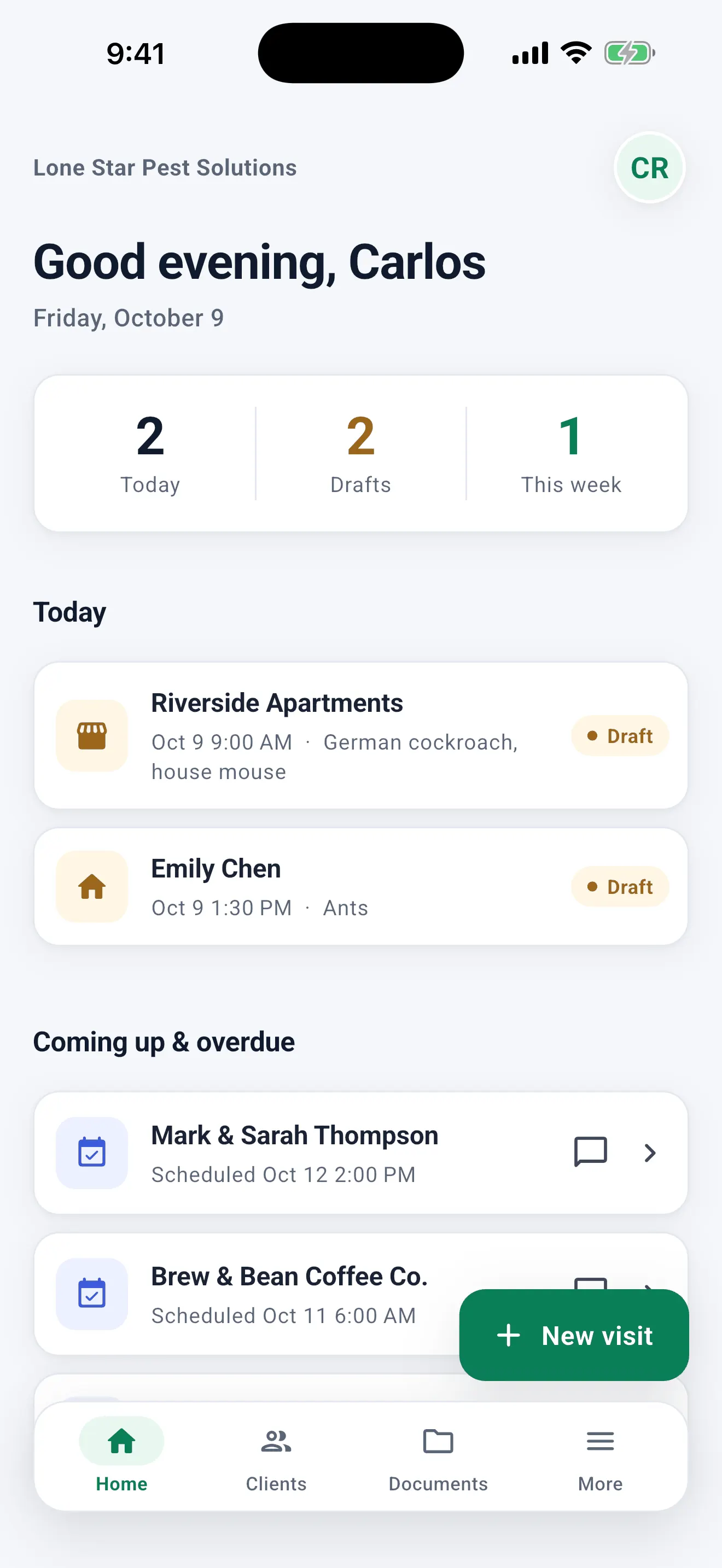
Home screen: today's visits, coming up and overdue services, and the Home, Clients, Documents and More tabs with the New visit button.
Visit

The visit, in sections

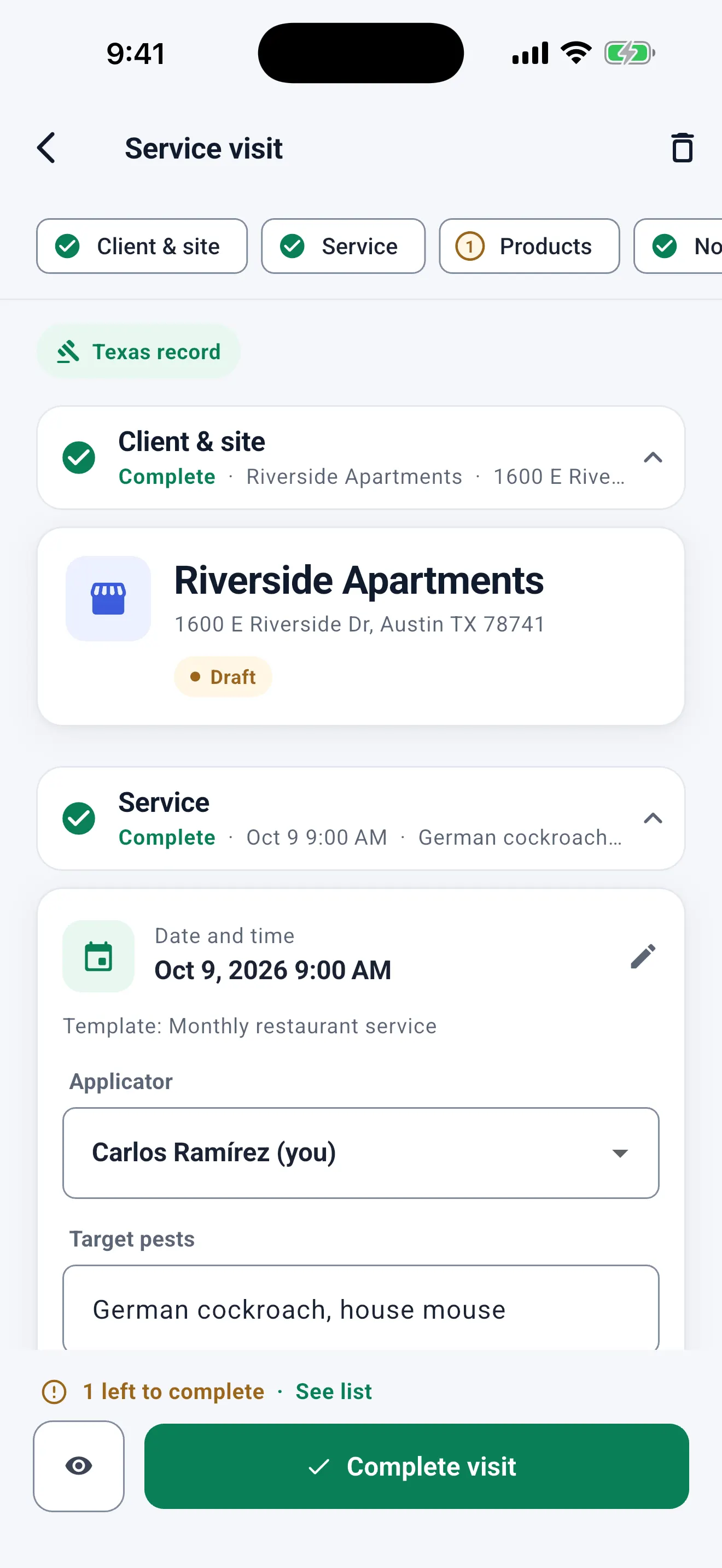
Client & site, Service, Products, Notes & precautions, and Signature. Each section says whether it is complete or how many items it still needs, and the chips at the top take you to any of them.

  • 7 built-in service templates (roaches, ants, rodents, termites, bed bugs, mosquitoes, general pests) plus your own
  • Checklist, photos with captions and recommendations
  • Several applicators with their license; pick who applied on each visit or product
  • "1 left to complete · See list" always in sight
Service visit for Riverside Apartments, a Texas record, split into sections (Client & site, Service, Products) with their status, and "1 left to complete · See list" above Complete visit.
Products

Search or scan the product without leaving the visit

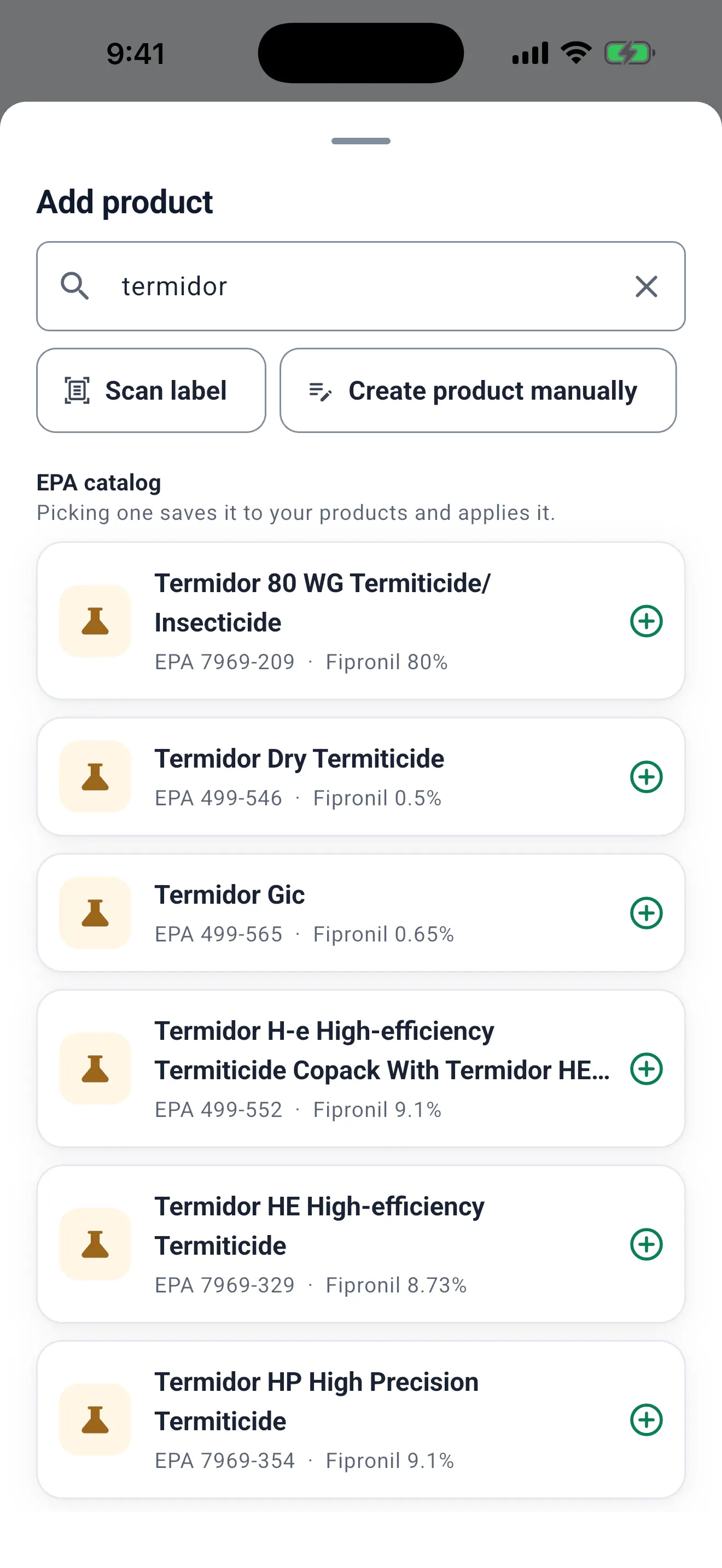
Tap Add product and search your products or the EPA catalog by name, active ingredient or registration number, or scan the label. The EPA number and active ingredients fill in; you enter the amount and rate from your label.

  • 19,776 products with an active EPA registration, on the phone and offline
  • Scan the label to read the EPA number; you confirm the product
  • What you pick is saved to your products; the most used come first
  • Restricted use (RUP) flag and a link to the official label
Add product inside the visit: searching "termidor" in the EPA catalog, with the EPA Reg. No. and active ingredient of each product, Scan label and Create product manually.
Safety

Manufacturing-use products stay off the record

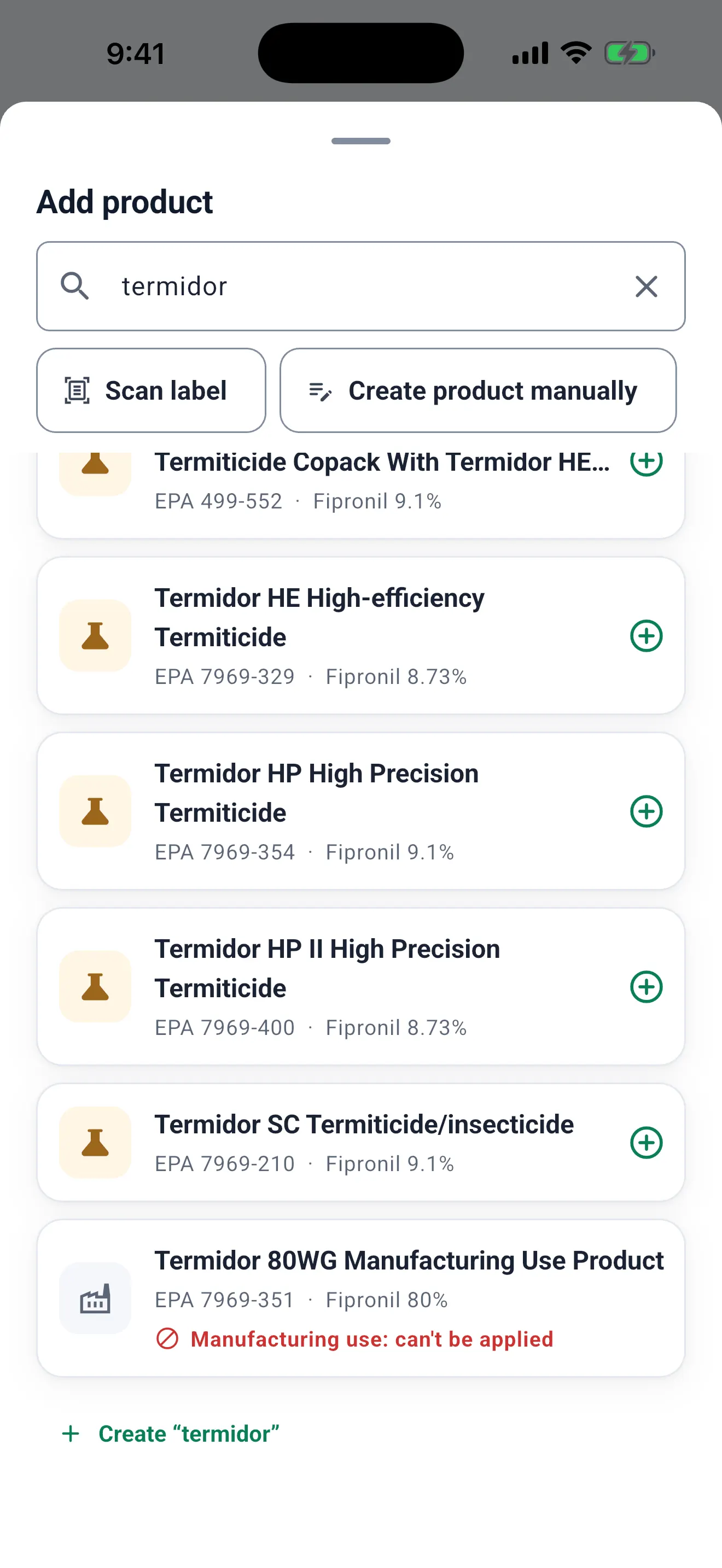
Manufacturing-use and technical products are registered to make other products, not to be applied in the field. PestSheet marks them in search and won't let you apply them, so they never end up on a legal record after a hurried tap.

  • Marked "Manufacturing use: can't be applied"
  • Listed last in the results
  • If EPA lists one as technical without saying so in the name, the app tells you to check the label
EPA catalog search: "Termidor 80WG Manufacturing Use Product" marked "Manufacturing use: can't be applied".
Compliance

The list of what's missing, before you close

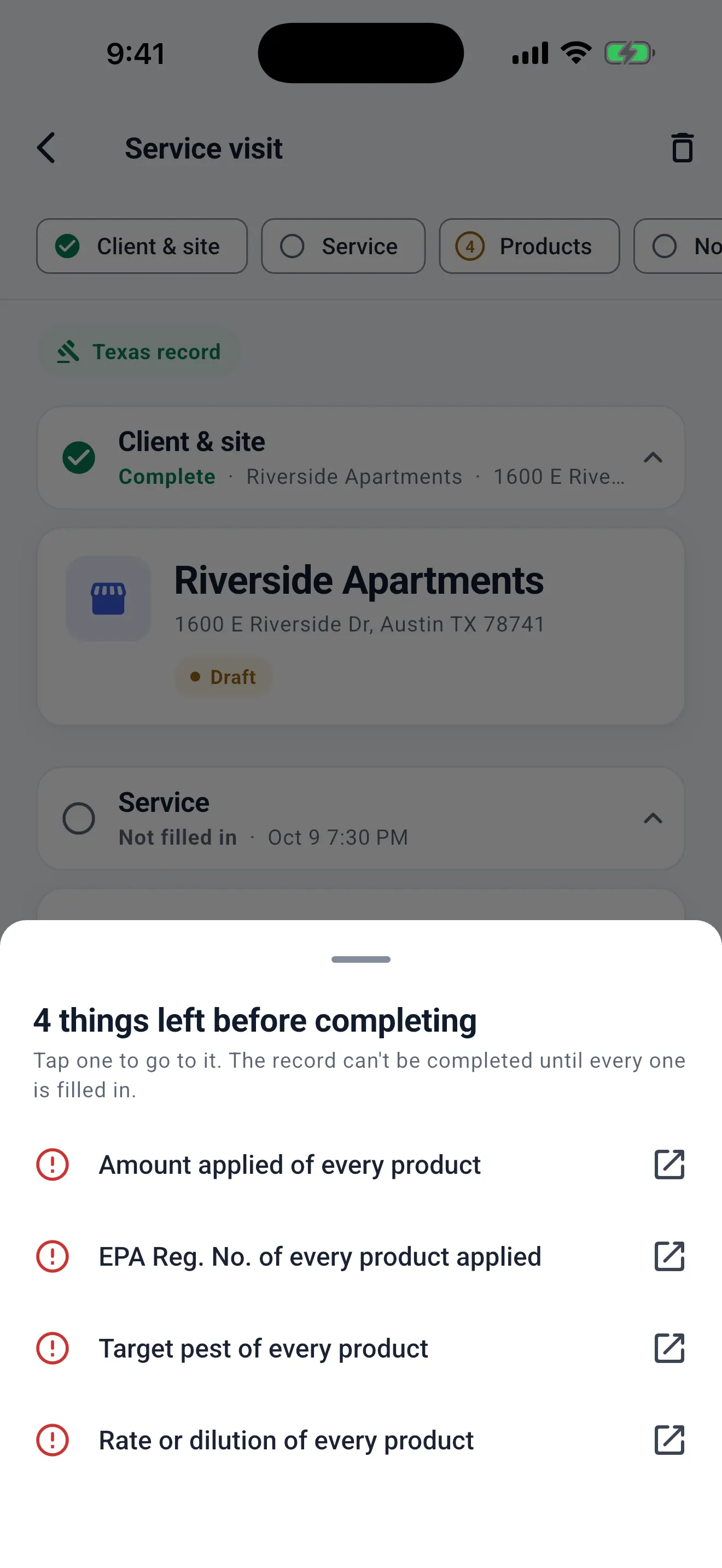
49 states and DC have their template. Before you complete, PestSheet checks the fields that state requires (license, EPA number, amount, rate, areas, method, weather outdoors, as the rule says) and shows everything missing at once. Tap an item and you go straight to the field.

  • The client's state sets the rules; with no state, the visit can't be completed
  • Before completing, it tells you which rule it checked and what was left empty
  • Customer notices required in CA, GA, NJ, MA, MD, CO and UT; the fixed AZ warning on the report
  • Completed visits locked; corrections as amendments with a trail

See what each state asks for →

List of what is left before completing: amount, EPA Reg. No., target pest and rate of the product. Each item leads to the field.
Signature

Full-screen signature

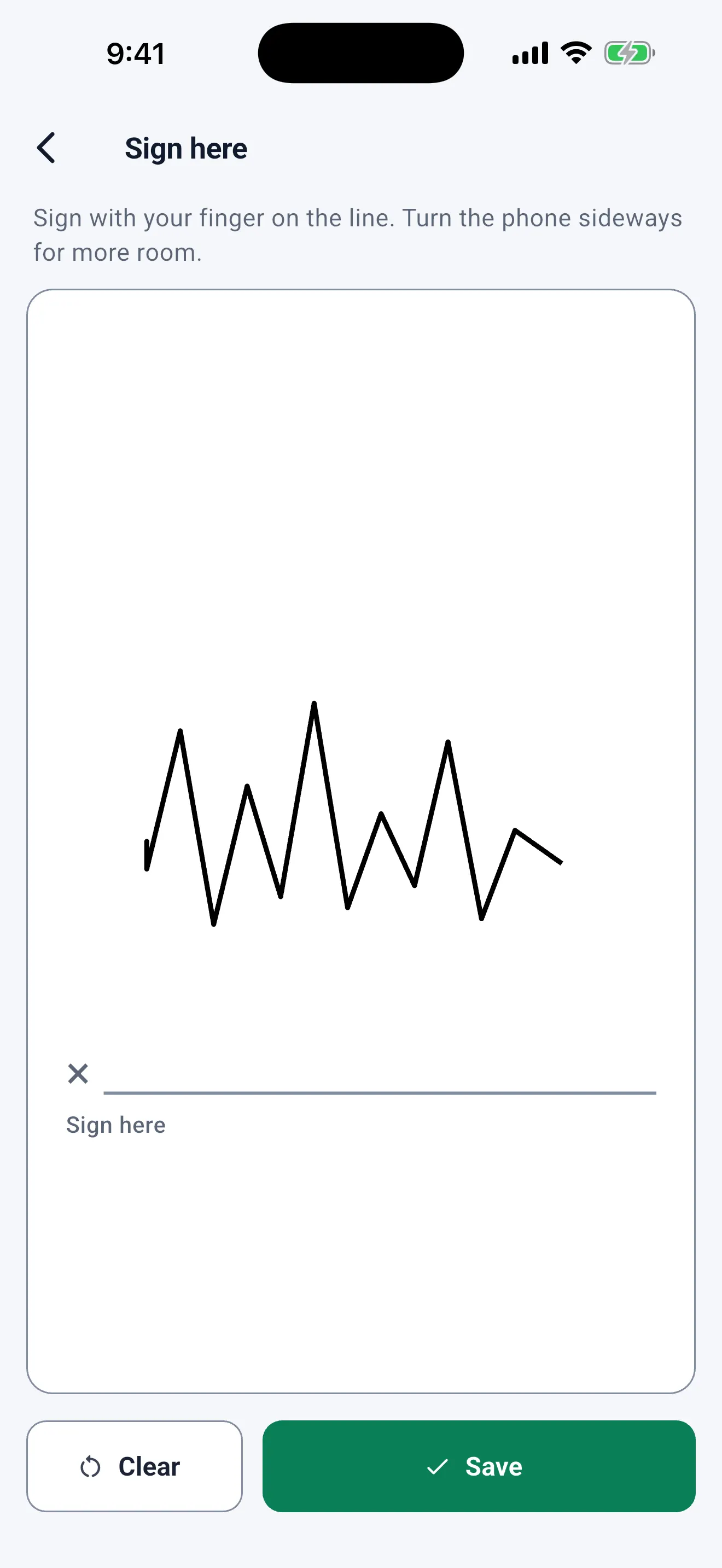
The client signs with a finger on the line, with Clear and Save at the bottom, within thumb reach. Need more room? Turn the phone sideways. You sign as the technician too.

  • Client and technician signatures on the report
  • Visit without a signature (client away) with the reason recorded
Full-screen signature: the client signs with a finger on the line, with Clear and Save at the bottom.
Reports

A clean, signed PDF before you leave

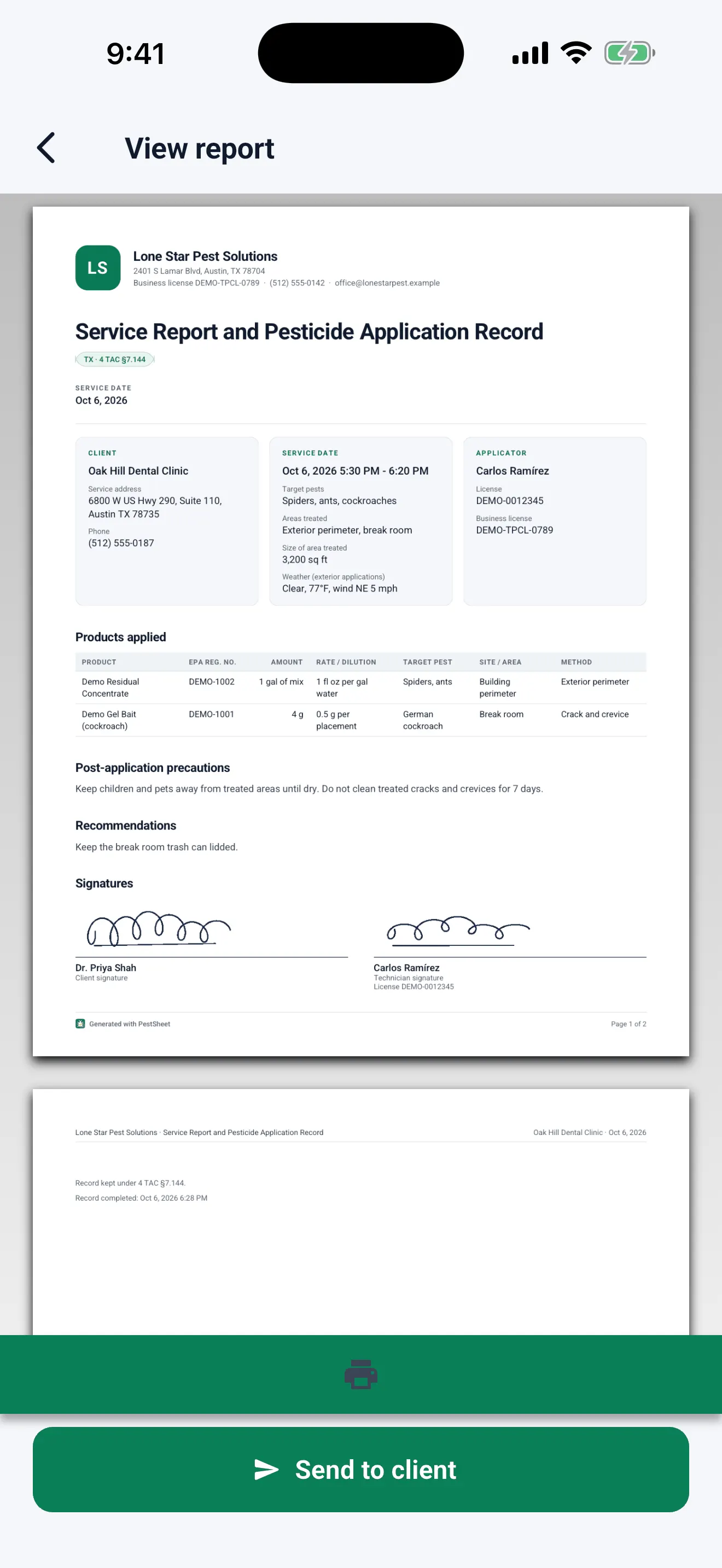
The report carries your logo, license and business info, the products table, photos, precautions, recommendations and signatures. Send it by WhatsApp, email or text; the client installs nothing. When you come back, the app tells you what was sent and how.

  • In English or Spanish
  • Each delivery to the client is logged
  • If your phone doesn't confirm it was sent, the app says so
  • Business logo on the Pro plan
PDF report preview: business, client, service date, applicator, products applied and the signatures, with a Send to client button.
Inspection

Records for inspection in seconds

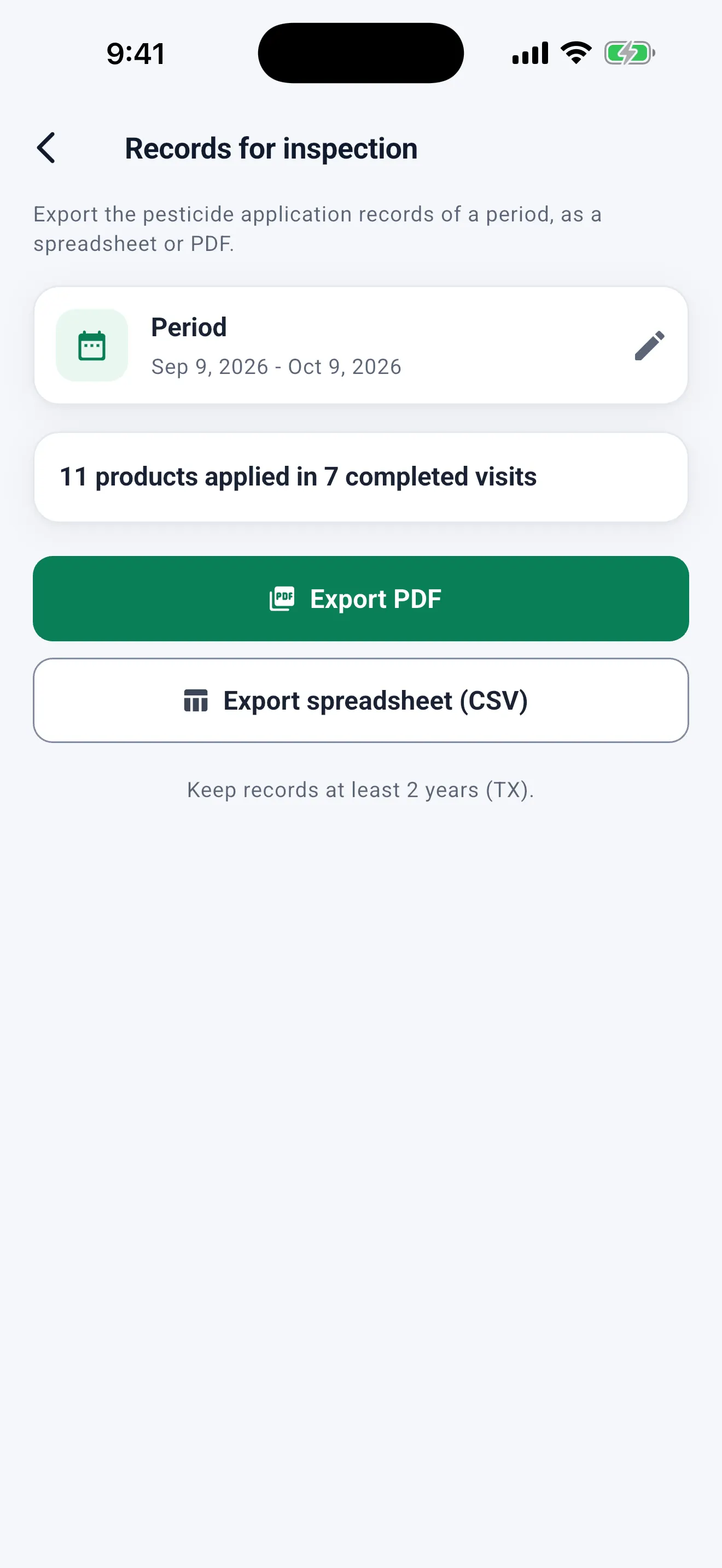
In Documents, pick a period and export your pesticide application records as PDF or CSV. The app reminds you how long to keep them in your state and confirms what it exported.

  • Search by date, client or product
  • PDF and CSV export (Pro)
  • California monthly county use report (Pro)
Records for inspection: pick a period, see how many products were applied in how many completed visits, and export as PDF or spreadsheet (CSV). Keep records at least 2 years (TX).
Clients

The client card

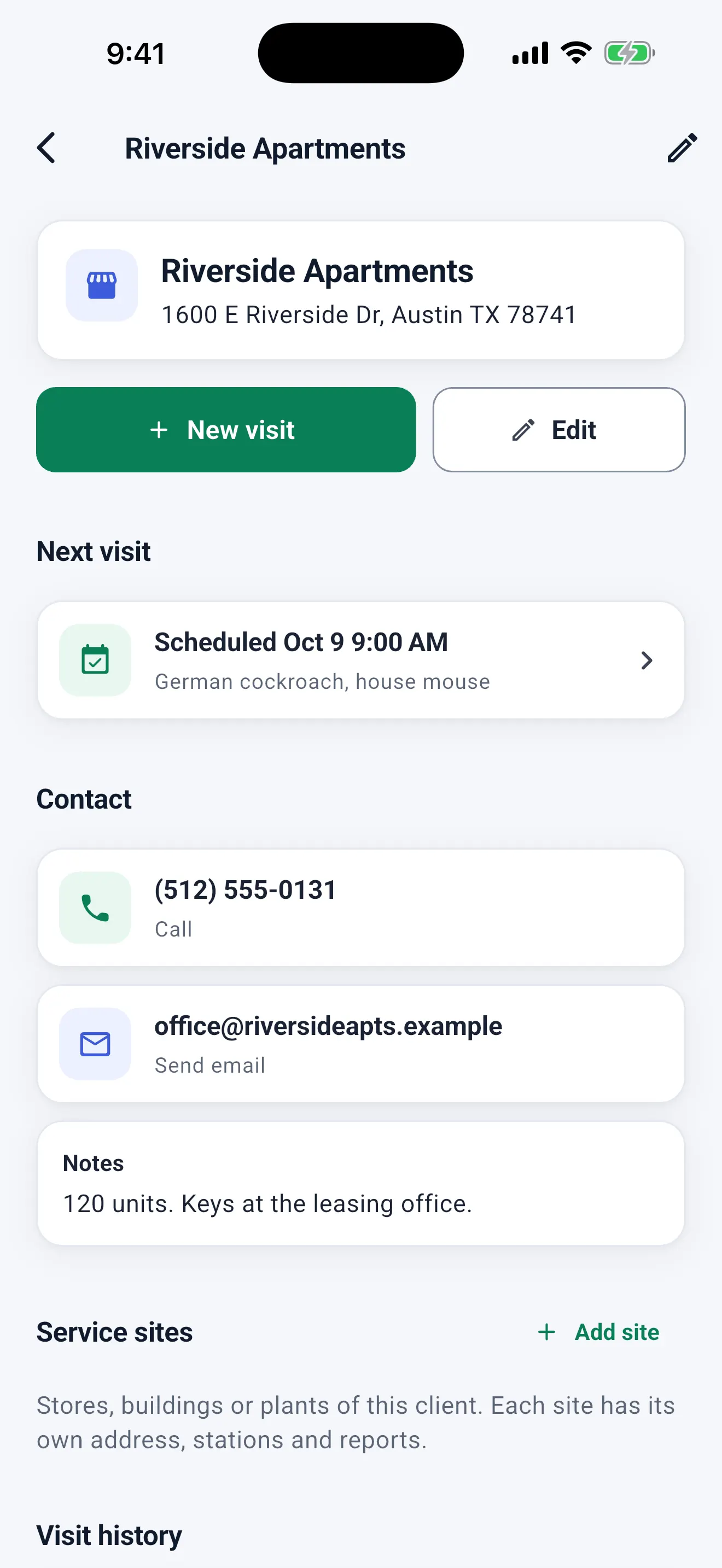
Everything about the client on one screen: New visit, Edit, the next visit, call or email, notes, service sites, visit history and billing.

  • Sites with their own address, stations and reports
  • Leave the edit form without saving and the app asks first
Client card for Riverside Apartments: New visit, Edit, next scheduled visit, phone, email and notes.
Getting started

Set up your business in 2 minutes

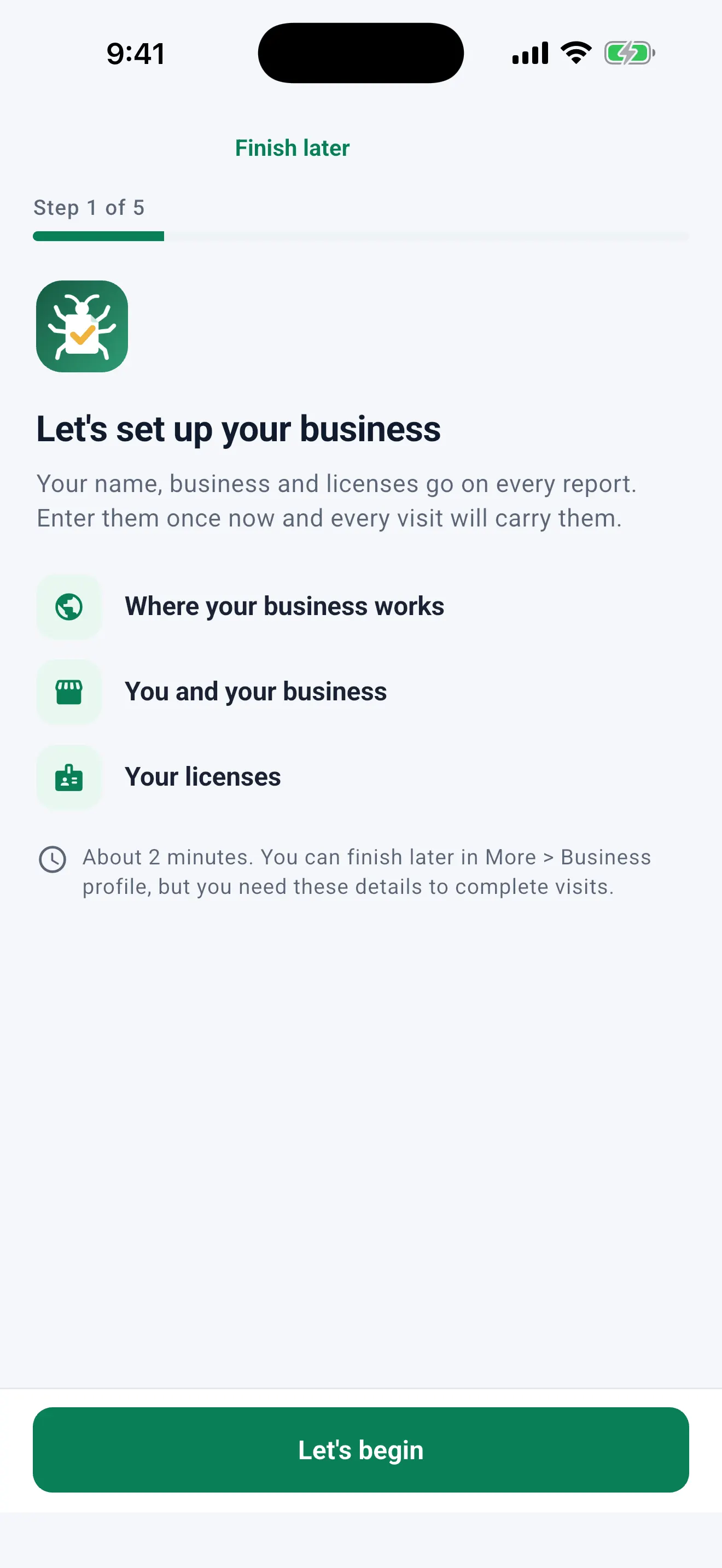
A setup guide asks where your business works (United States, Mexico or Colombia) and only for what goes on your reports: you, your business and your licenses. You can finish it later in More > Business profile.

  • Required fields change with the country and state
  • Explore with sample data first and remove it any time from More
Setup guide, step 1 of 5: where your business works, you and your business, your licenses. About 2 minutes.
Commercial accounts

Bait stations, QR codes and audit reports

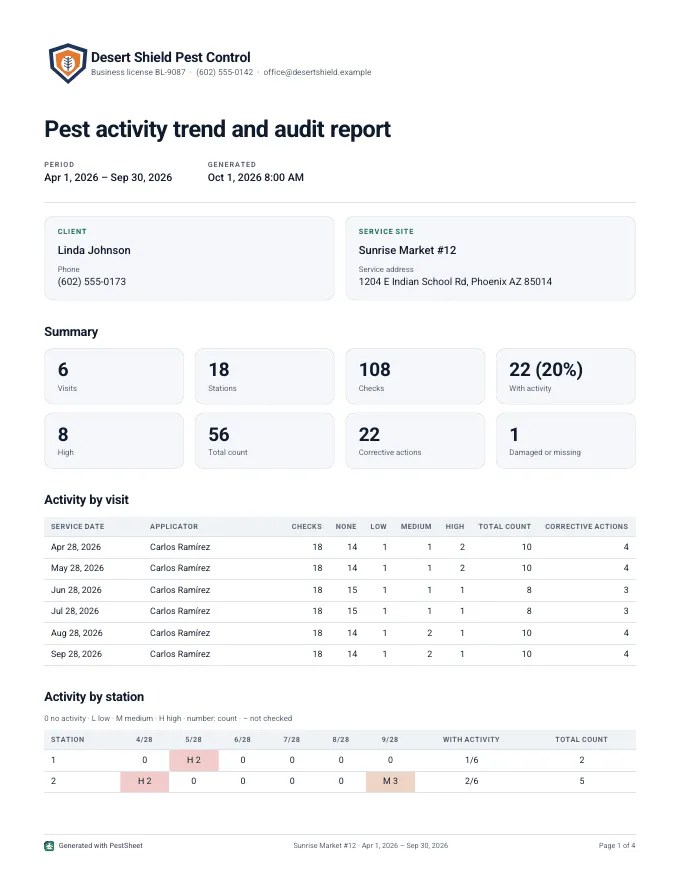
For restaurants, warehouses and plants: stations per site with a QR code, a check of each station during the visit and a site map with activity.

  • Printable QR labels and camera scanning
  • Activity, count and action per station
  • Trend report per site for food safety audits (SQF, AIB)
Audit trend report with activity by station over time.
Business

Quotes and invoices

In Documents: quote, get the client's signed acceptance on your phone and bill from the completed visit. It doesn't replace your tax invoicing.

  • Payments recorded by hand (cash, check, Zelle, card, transfer)
  • Your own payment link with a QR code on the PDF
  • CSV export, including the QuickBooks Online import format

And also

Optional account

Use it without an account and everything stays on your phone, or create one for a cloud backup and more than one device.

English and Spanish

The app, the reports and the records, in both languages. Light and dark mode.

Mexico and Colombia

NOM-256 certificate and service log; certificate with INVIMA registration and service log.

The label is the law

PestSheet records what you applied. It does not recommend products, doses or rates.