 PestSheet
Finish the visit. Your state record is done too.
PestSheet is a phone app for independent pest control technicians. Record each service visit on site, even with no signal: search or scan the product without leaving the visit, see what's missing before you close it, and send the client a signed PDF report before you leave. Your state's pesticide application record is ready for inspection.
$24.99/month or $199.99/year after a 7-day free trial. Free plan: 5 completed visits a month.
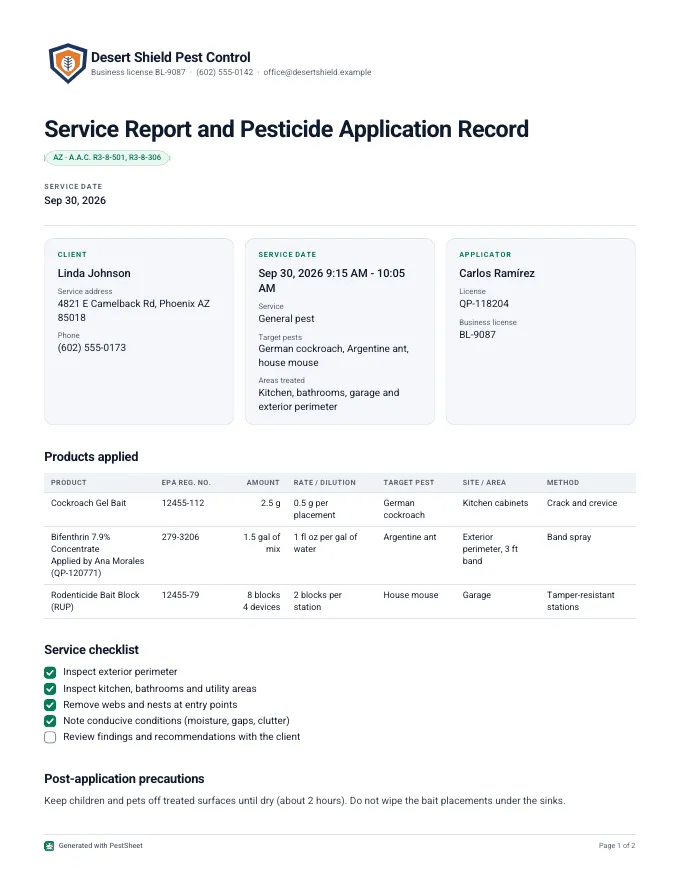
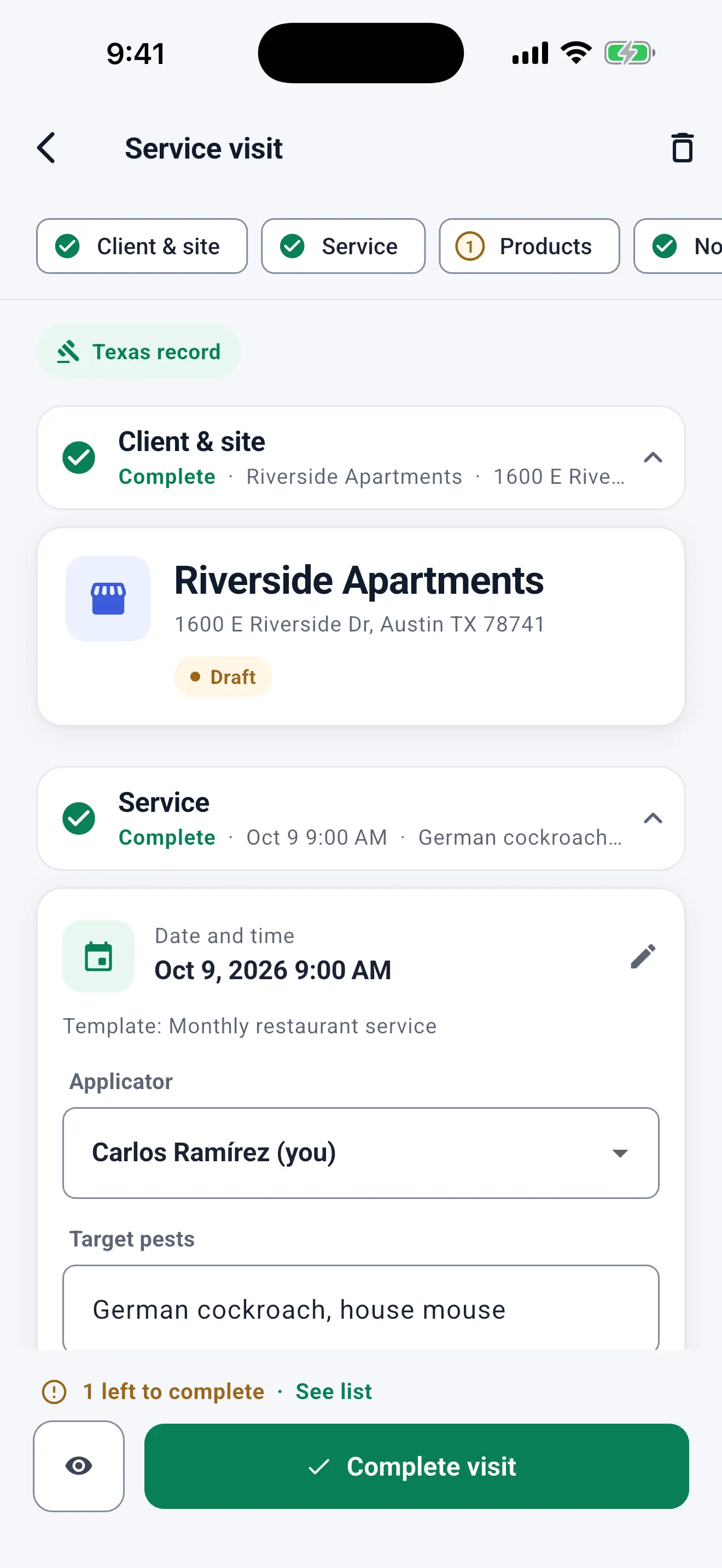
Before you completePestSheet checks the fields your state requires.
- 50 jurisdictions49 states and DC with a record template, plus Mexico and Colombia
- 19,776Products with an active EPA registration in the catalog
- OfflineWorks in crawl spaces and dead zones
- EN / ESUse it in English or Spanish
One flow on site. No paperwork at night.
You fill in the visit once. PestSheet turns it into the report your client gets and the application record your state asks for.
-
Visit
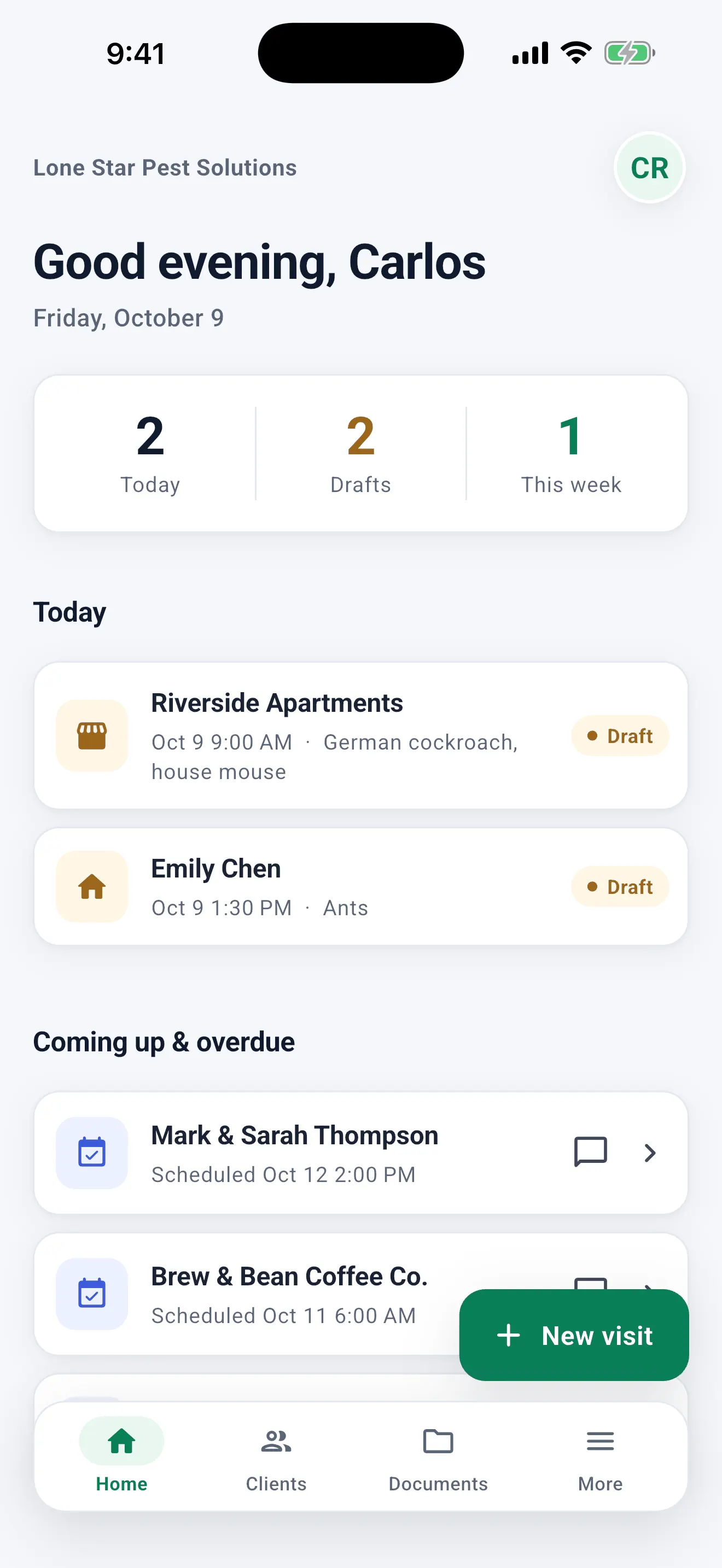
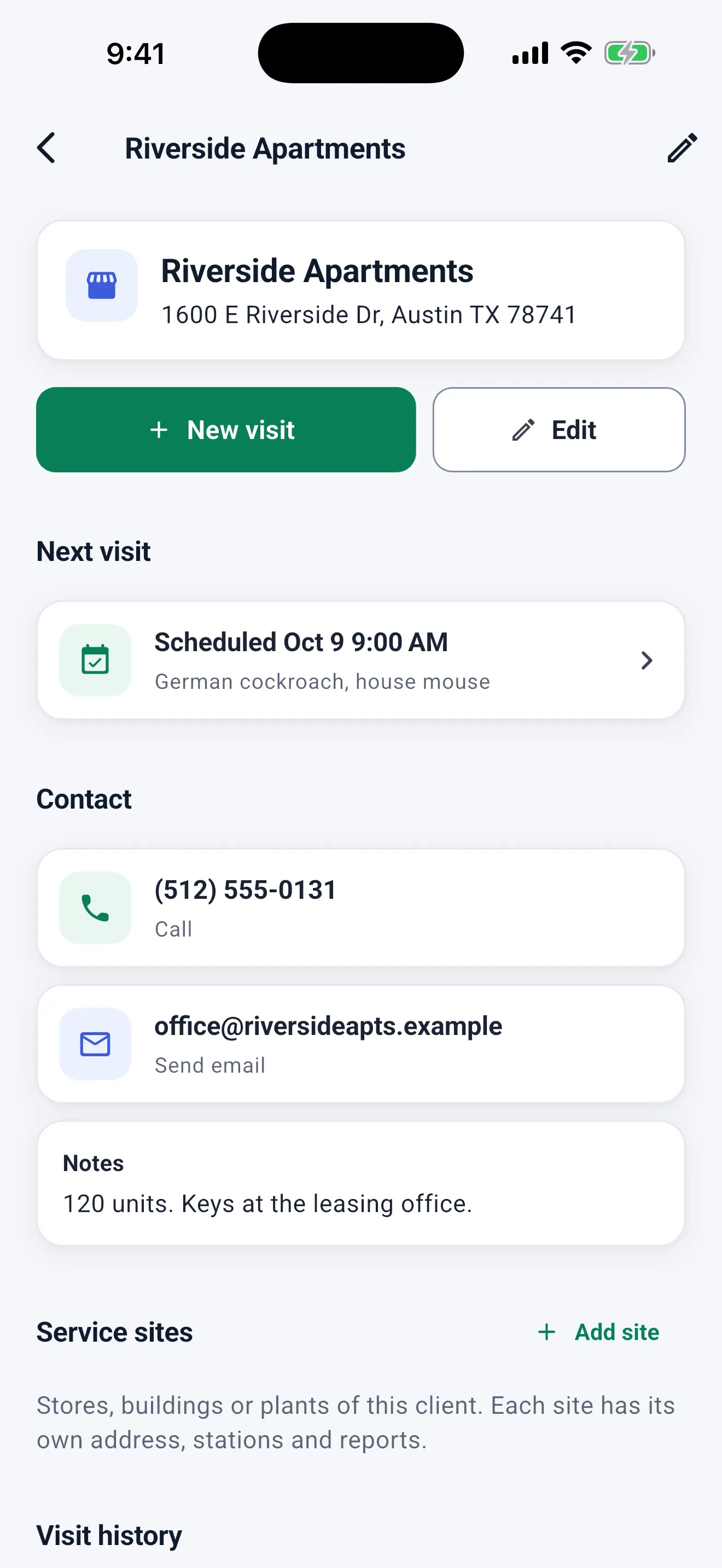
Home shows today's visits, what's coming up or overdue, and your drafts. Tap a visit or New visit: it opens in sections (client and site, service, products, notes, signature), each marked complete or with what it still needs.
- Today, Coming up & overdue and Drafts on Home
- Recurring account? Repeat the last visit: products, areas and checklist
- Saved on the phone, no signal needed
-
Products
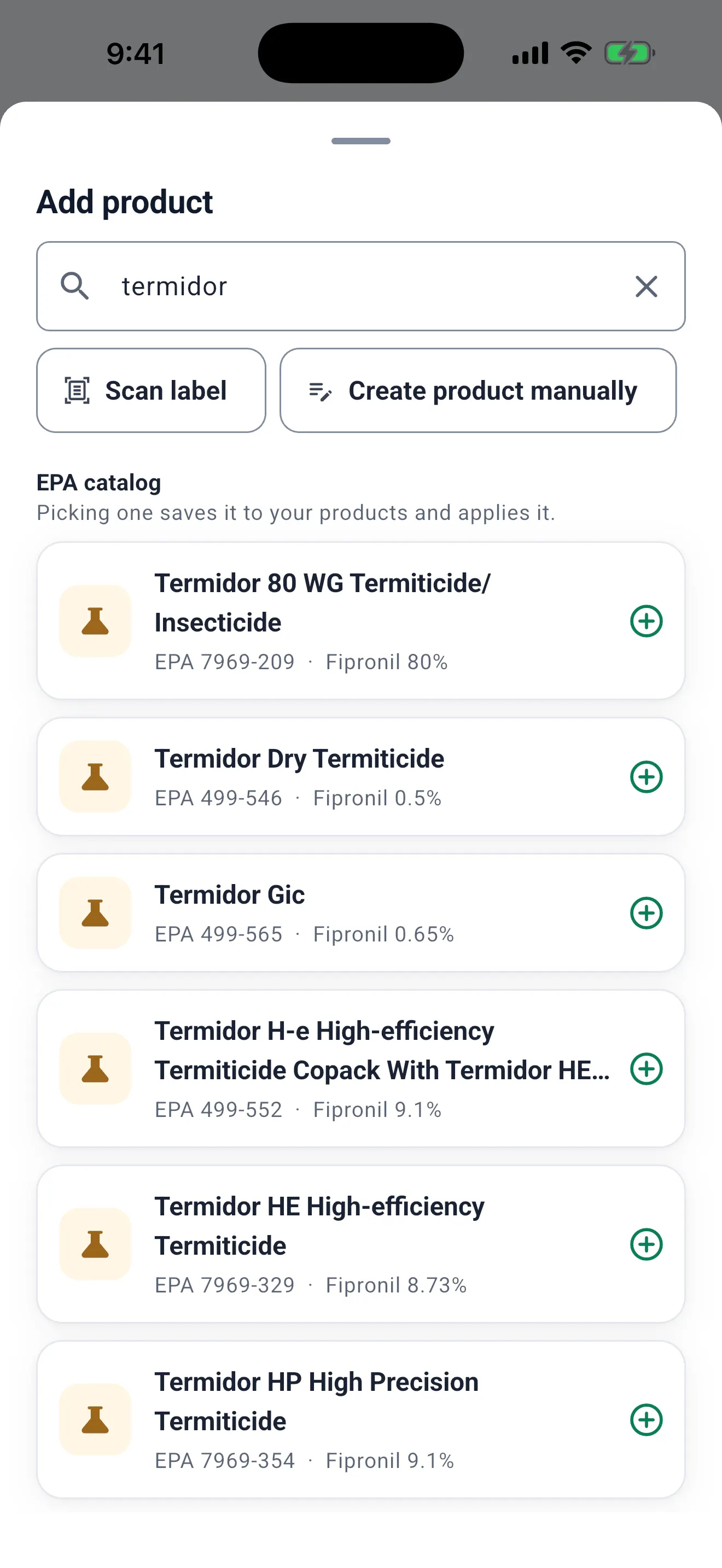
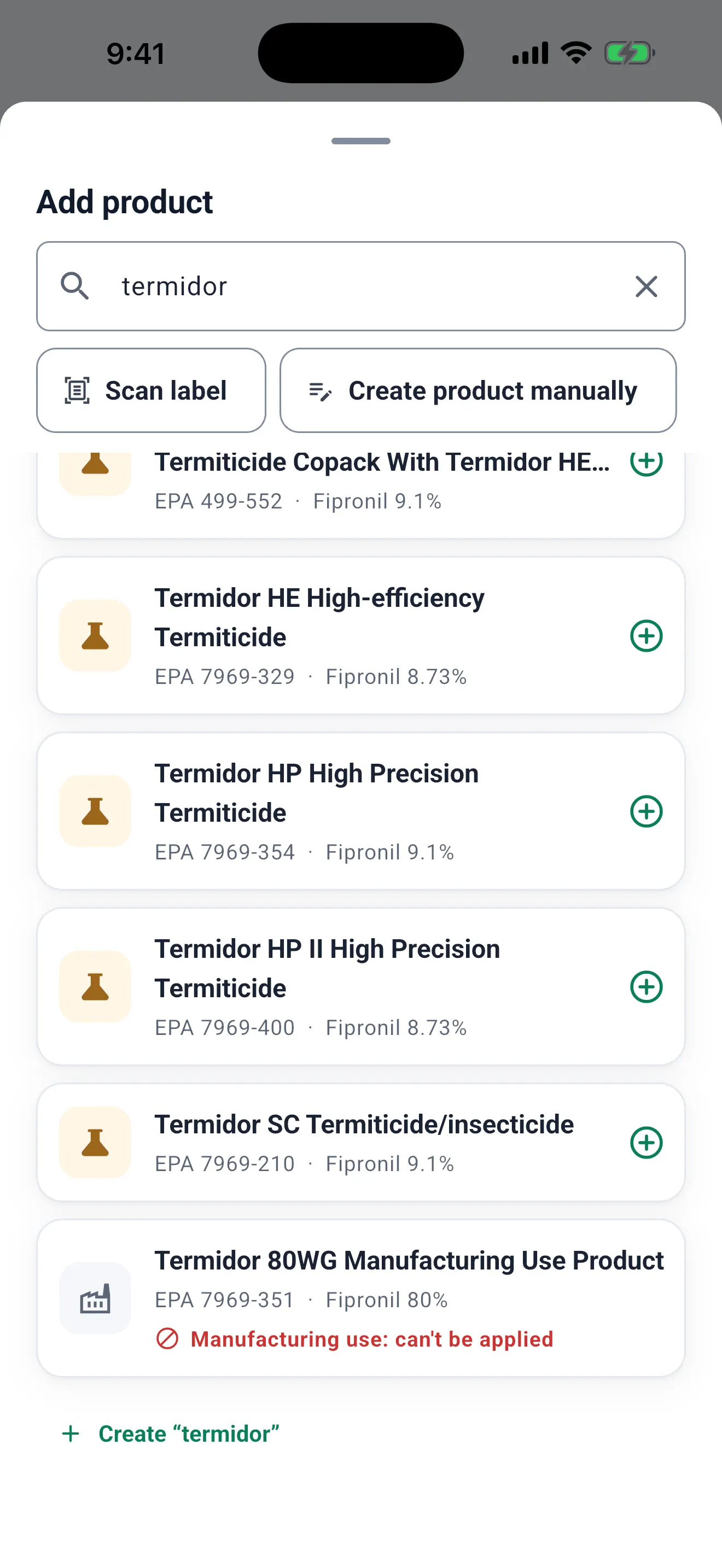
Tap Add product and search by name, active ingredient or EPA number, or scan the label, without leaving the visit. The EPA Reg. No. and active ingredients fill in. You enter the amount and rate from your label.
- 19,776 products with an active EPA registration
- Manufacturing-use products can't be applied
- What you pick is saved to your products for next time
-
Close
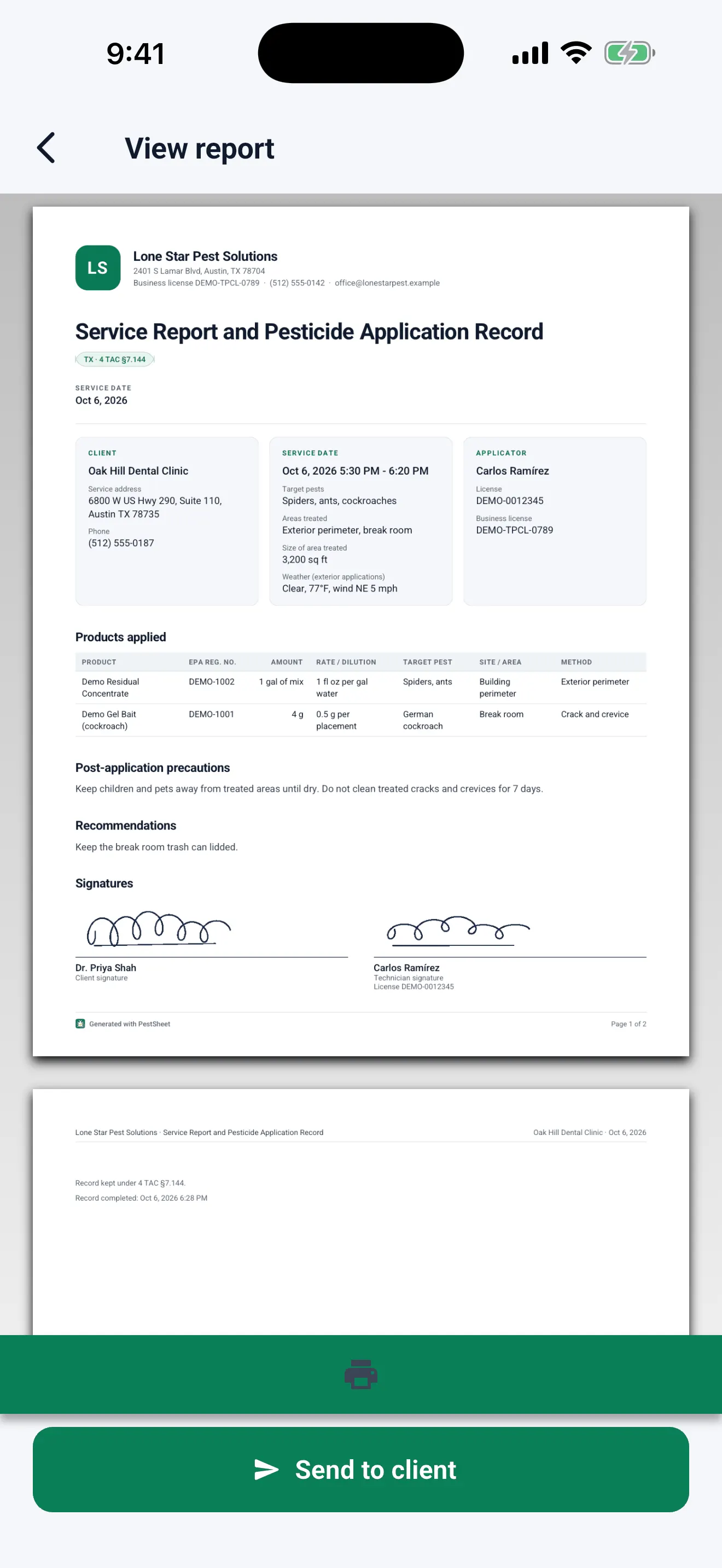
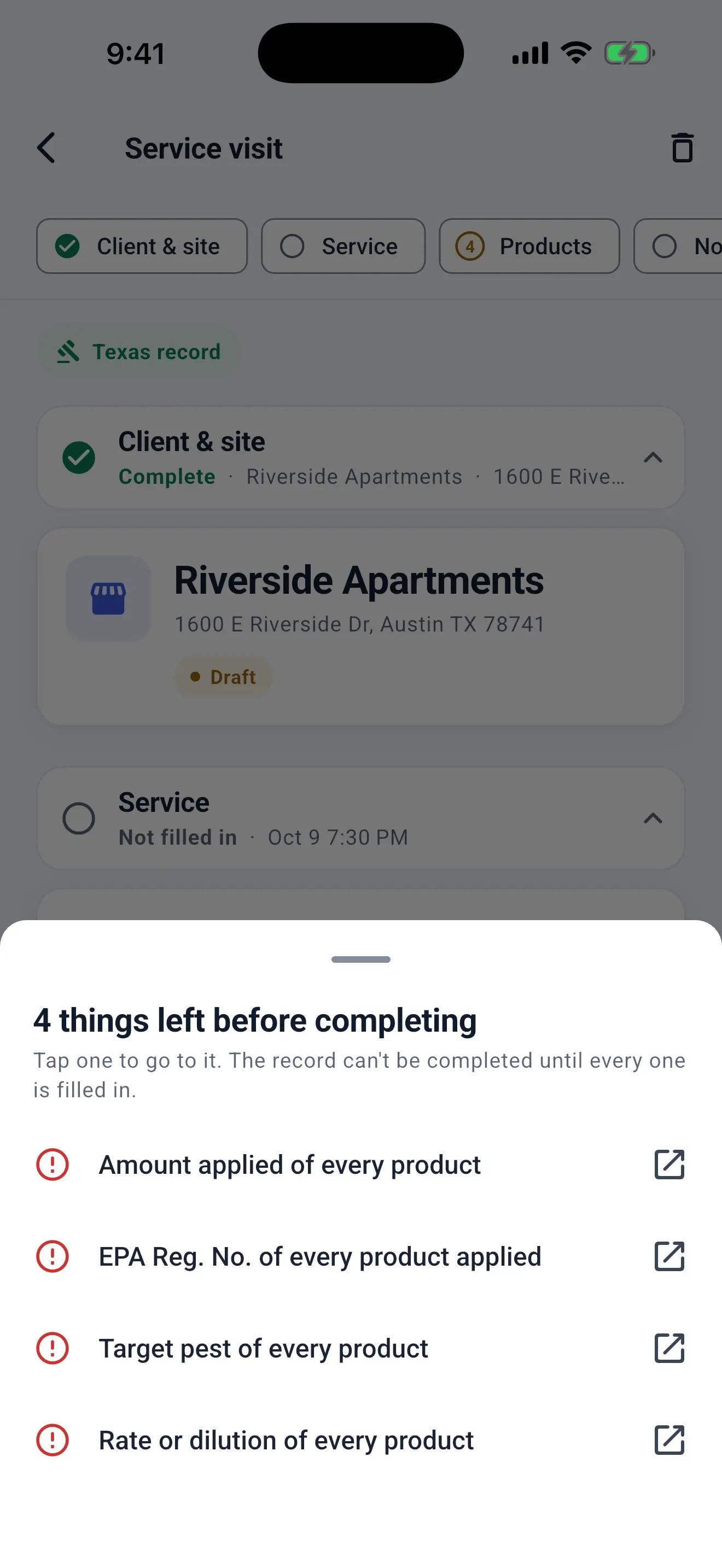
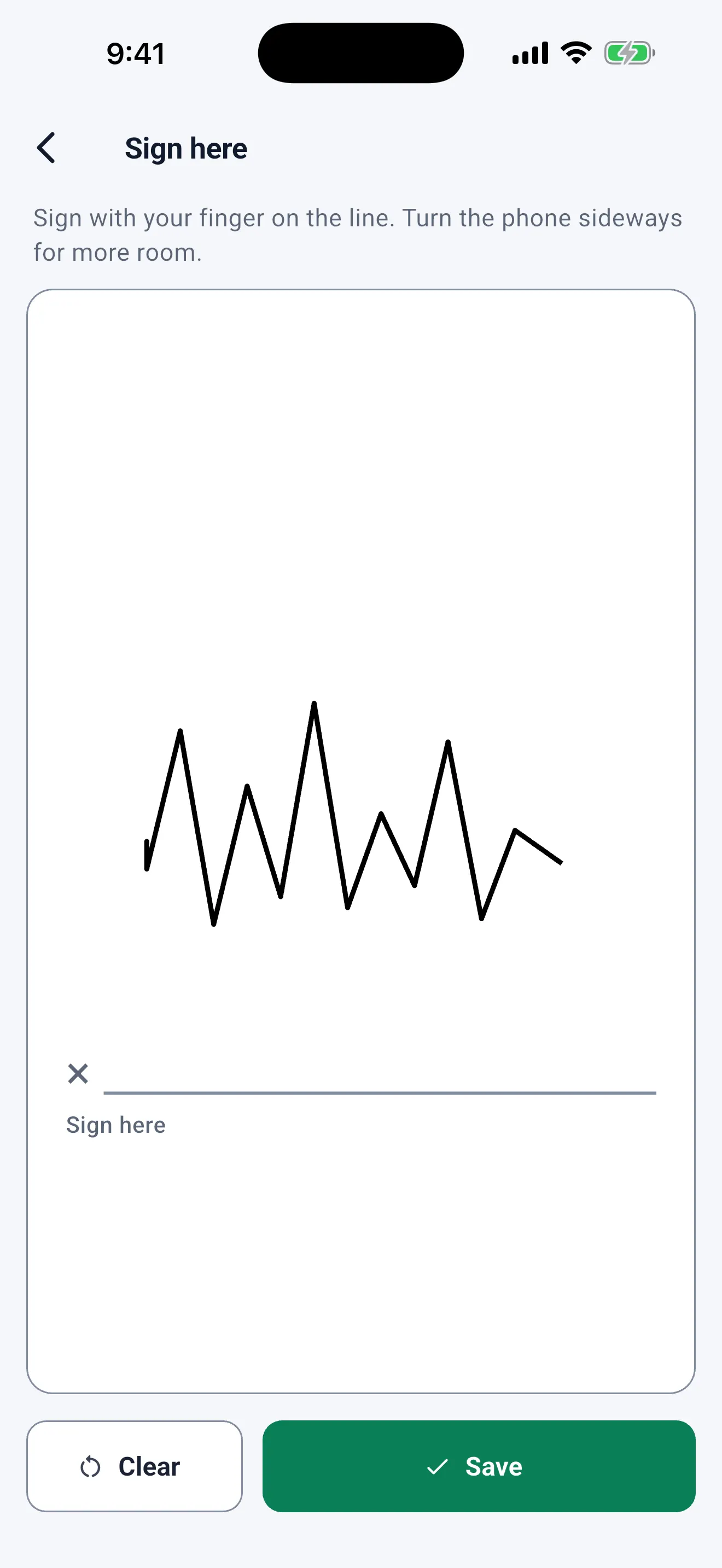
Before you complete, a list shows what's missing for your state; tap an item and you go straight to the field. The client signs full screen and you send a clean PDF by WhatsApp, email or text.
- Checked against your state's rules
- Your logo, license and business info
- The app tells you what you sent and records the delivery
All without leaving the visit.
Real app screens with its sample data. What you need on site is one tap away.
Ready when the inspector asks.
Each state wants different fields on a pesticide application record. PestSheet knows the list for 49 states and DC and won't let you complete a visit with one missing: it shows the list of what's left and takes you to each field. Pick your state to see what it asks for, and under which rule.
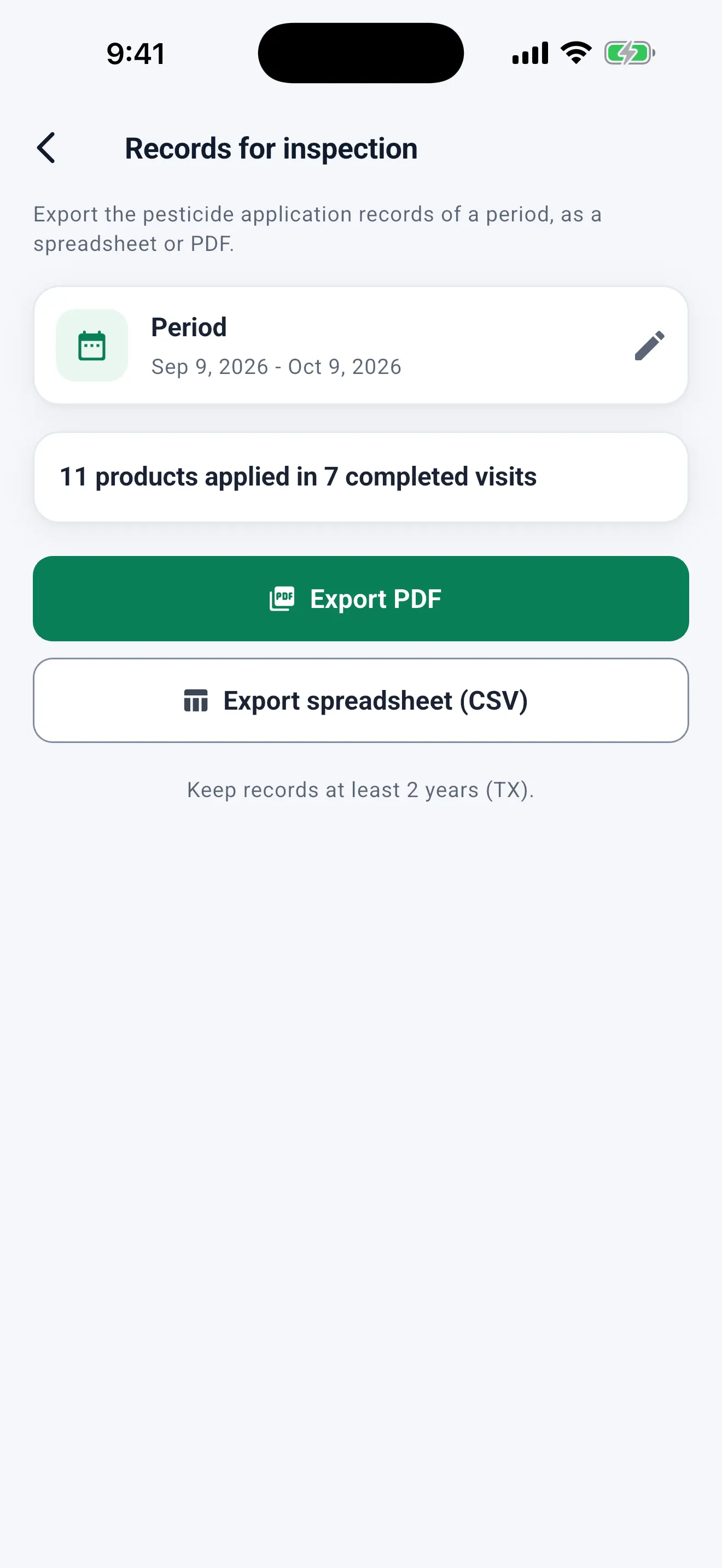
- Export any period as PDF or spreadsheet (CSV) when an inspector asks.
- Completed visits are locked. A correction is added as an amendment with a trail, never a silent edit.
- Retention reminders for your state, like "keep records at least 2 years" in Texas.
State guides
- ALAlabama
- AKAlaska
- AZArizona
- ARArkansas
- CACalifornia
- COColorado
- CTConnecticut
- DEDelaware
- DCDistrict of Columbia
- FLFlorida
- GAGeorgia
- HIHawaii
- IDIdaho
- ILIllinois
- INIndiana
- IAIowa
- KSKansas
- KYKentucky
- LALouisiana
- MEMaine
- MDMaryland
- MAMassachusetts
- MIMichigan
- MNMinnesota
- MSMississippi
- MOMissouri
- MTMontana
- NENebraska
- NVNevada
- NJNew Jersey
- NMNew Mexico
- NYNew York
- NCNorth Carolina
- NDNorth Dakota
- OHOhio
- OKOklahoma
- OROregon
- PAPennsylvania
- RIRhode Island
- SCSouth Carolina
- SDSouth Dakota
- TNTennessee
- TXTexas
- UTUtah
- VTVermont
- VAVirginia
- WAWashington
- WVWest Virginia
- WIWisconsin
- WYWyoming
PestSheet records what you applied. It does not recommend products, doses or rates. You read the label and decide; the app writes it down correctly.
Paperwork that looks professional.
The same style on every PDF: your business on top, the state rule in plain sight and the data in clean tables. These are real documents from the app, with sample data.
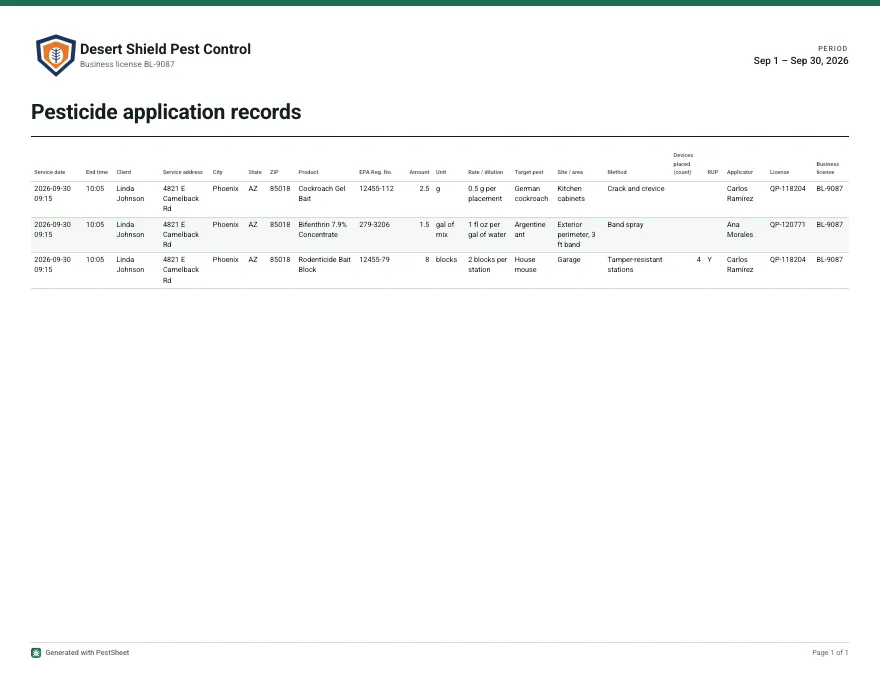
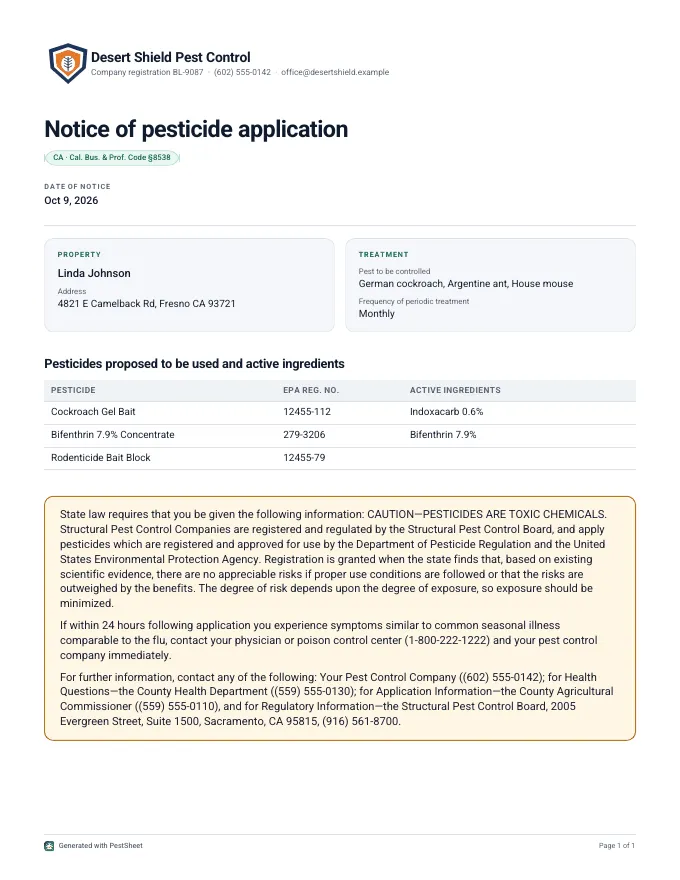
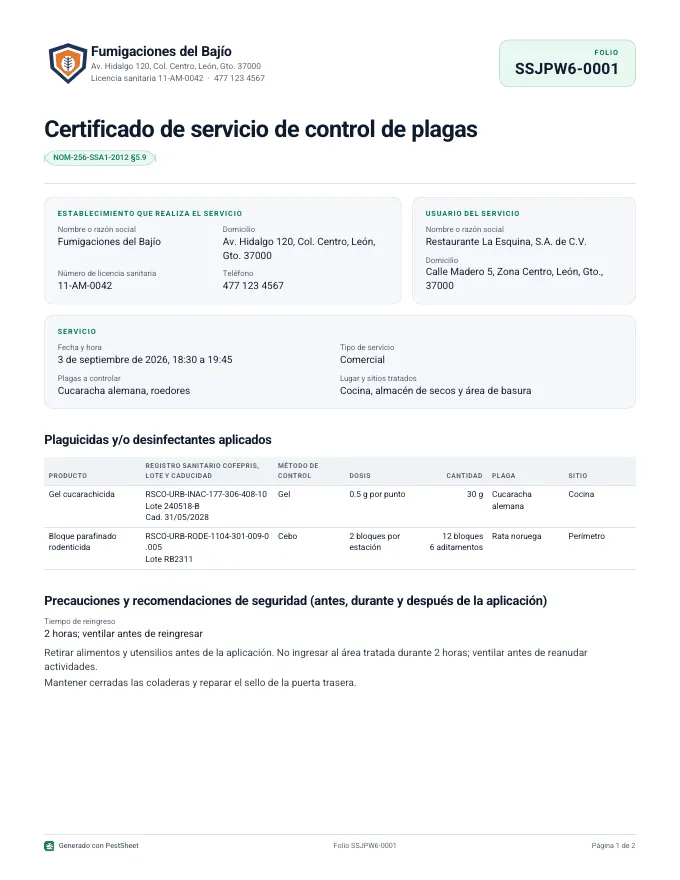
United States, Mexico and Colombia.
United States
Pesticide application records for 49 states and DC, with customer notices where the rule asks for them.
Mexico
The NOM-256-SSA1-2012 service certificate with folio, health license and COFEPRIS registration, plus the service log.
Colombia
Service certificate with INVIMA registration, applicator ID card and health authority approval, plus the service log.
What you can check today.
Every rule with its source
The state guides cite the rule, link the official source and say when we checked it. What we couldn't confirm, we say so.
Real screens and PDFs
Everything you see here comes from the app, with its sample data. No mockups.
In testing, no made-up reviews
PestSheet isn't in the stores yet, so it has no reviews. The first technicians on the waitlist try it before anyone else.
One price. No per-user math for a solo tech.
Free
$0
5 completed visits a month
Pro monthly
$24.99
7-day free trial
Pro yearly
$199.99
Save 33% vs. monthly
What is PestSheet?
An iPhone and Android app for independent pest control technicians and small businesses. You record each visit on site (products, pests, areas, photos and signature), and PestSheet builds your state's pesticide application record and a PDF report for the client.
When does it launch?
The app is built and in testing; it isn't in the App Store or Google Play yet. People on the waitlist get it first.
Does it work without signal?
Yes. Everything is saved on your phone first: clients, visits, products, photos and signatures. You can complete a visit in a basement or on a rural route and send the report when you're back in coverage.
How long does setup take?
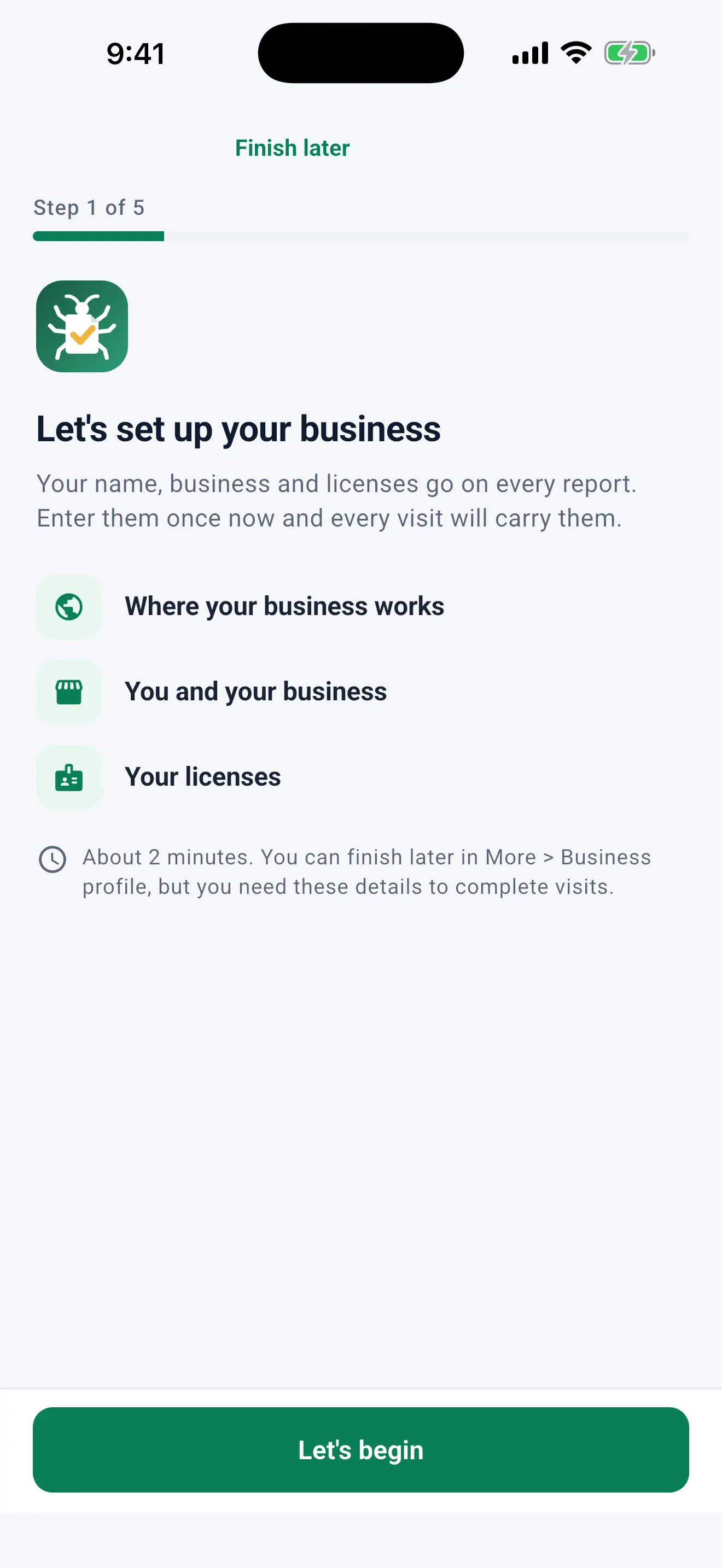
About 2 minutes. A guide asks where your business works (United States, Mexico or Colombia), about you and your business, and your licenses: what goes on every report. You can finish it later in More > Business profile, but visits can't be completed without those details. Want to look around first? Explore with sample data and remove it from More any time.
Which states does it check records for?
49 states and the District of Columbia. For each, PestSheet knows the fields the application record asks for and won't let you complete a visit with one missing. New Hampshire uses the general template for now. See what each state asks for in the state guides.
Do I have to leave the visit to add a product?
No. In the visit, tap Add product and search your products or the catalog of 19,776 active EPA registrations by name, active ingredient or registration number, or scan the label. The product you pick is applied on the visit and saved to your products. The catalog and label scanning are for U.S. businesses.
Do I need an account? Where is my data?
An account is optional. Without one, everything you enter stays only on your phone. With one, we keep a cloud backup so you can restore it and use it on more than one device. No ads, no cross-app tracking, and we don't sell data. Details in the privacy policy.
What's in the free plan?
Unlimited drafts and 5 completed visits a month. Reports of completed visits can always be viewed and shared, even if you don't pay. See the plan comparison.
Get PestSheet first.
Four quick questions. Your answers decide what we add first.
- One email when the app is in the stores, and a few with test builds. No spam.
- Founding price held for you if you check the box.
- Unsubscribe with one click.
The app isn't in the stores yet. Join the list and we'll tell you.
You're on the list.
We'll email you when PestSheet is ready to download.
Founding price reserved: $119.99 for your first year. We'll confirm before charging anything.
Pay now to lock it inPreview mode: saved in this browser only (the API URL is not set in src/config/site.ts).